
Recent Searches
- You haven't searched for anything yet.
Recent Searches
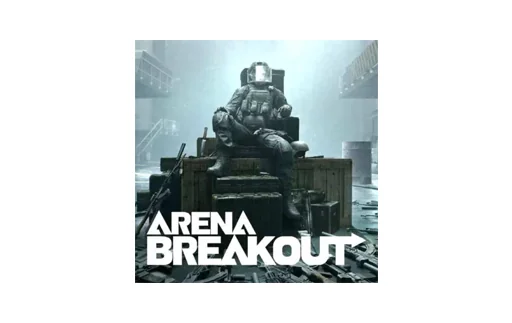
Select the Arena Breakout gift card, choose the desired value, and add it to your cart. At checkout, you can pay with various cryptocurrencies as well as traditional methods like credit or debit cards, depending on availability in your region. Confirm your order, and the digital code will be processed and sent to your email once payment is completed.
This product is delivered digitally only; no physical card is shipped. After your payment is confirmed, the Arena Breakout gift card code is generated and sent to the email address you provided during checkout. Delivery is usually very fast, but in rare cases it may take a short time for processing or additional security checks.
Open the official Arena Breakout game or platform where the game is hosted and sign in to your account. Go to the in-game store or account wallet section, then look for the option to redeem a code or voucher and carefully enter the digital code you received. Once confirmed, the prepaid credit should be added to your Arena Breakout balance, ready for in-game purchases.
Availability may vary by country and by the regional policies of the game publisher. Many game gift cards are region-locked, meaning the code must match the country or region of your game account. Always check the region information on the product page and ensure your Arena Breakout account is registered in a compatible region before purchasing.
Exact validity can depend on the issuer’s rules and regional regulations. Some digital vouchers have long validity periods or no set expiration, while others may need to be redeemed within a specific time frame. To avoid any issues, it is recommended to redeem your code soon after receiving it and to review the official terms of the game or platform.
Digital gift card purchases are generally final once the code has been delivered, due to the nature of electronic content. After the Arena Breakout code is sent to your email, it is typically not eligible for refund, cancellation, or exchange. Please double-check the product details, region, and email address before confirming your order.
First, carefully re-enter the code and make sure there are no typing errors or extra spaces, and that you are redeeming it in the correct region and platform. If it still fails, take a screenshot of the error message and keep your order confirmation handy, then contact CoinsBee support for assistance. They can help investigate whether the issue is related to the code, the game platform, or regional restrictions.
Yes, once you redeem the code, you can usually see your updated balance directly in the in-game wallet or store section. Some platforms may also show transaction history for your Arena Breakout purchases, allowing you to track how your credit is used. If you do not see the new balance, log out and back in or restart the game client.
In many cases, you can redeem several codes on the same Arena Breakout account, and the balances will combine into a single wallet. However, this depends on the game’s and platform’s rules, so it is wise to check their official terms. Always ensure each code matches your account’s region before redeeming multiple vouchers.
Yes, the checkout is designed to support cryptocurrencies alongside conventional payment options. You can choose from popular digital assets or pay with methods such as credit cards, subject to availability in your country. This flexibility makes it easy to complete your purchase in the way that suits you best.
Buy a Arena Breakout gift card with Bitcoin, Litecoin, Monero or one of over 200 other cryptocurrencies offered. After you have paid, you will instantly receive the voucher code by email.
Available Promos
Product out of stock
Available Alternatives
 Instant, private, safe
Email Delivery
Instant, private, safe
Email Deliverybrand__promotions_mobile_topups_disclaimer
Select the Arena Breakout gift card, choose the desired value, and add it to your cart. At checkout, you can pay with various cryptocurrencies as well as traditional methods like credit or debit cards, depending on availability in your region. Confirm your order, and the digital code will be processed and sent to your email once payment is completed.
This product is delivered digitally only; no physical card is shipped. After your payment is confirmed, the Arena Breakout gift card code is generated and sent to the email address you provided during checkout. Delivery is usually very fast, but in rare cases it may take a short time for processing or additional security checks.
Open the official Arena Breakout game or platform where the game is hosted and sign in to your account. Go to the in-game store or account wallet section, then look for the option to redeem a code or voucher and carefully enter the digital code you received. Once confirmed, the prepaid credit should be added to your Arena Breakout balance, ready for in-game purchases.
Availability may vary by country and by the regional policies of the game publisher. Many game gift cards are region-locked, meaning the code must match the country or region of your game account. Always check the region information on the product page and ensure your Arena Breakout account is registered in a compatible region before purchasing.
Exact validity can depend on the issuer’s rules and regional regulations. Some digital vouchers have long validity periods or no set expiration, while others may need to be redeemed within a specific time frame. To avoid any issues, it is recommended to redeem your code soon after receiving it and to review the official terms of the game or platform.
Digital gift card purchases are generally final once the code has been delivered, due to the nature of electronic content. After the Arena Breakout code is sent to your email, it is typically not eligible for refund, cancellation, or exchange. Please double-check the product details, region, and email address before confirming your order.
First, carefully re-enter the code and make sure there are no typing errors or extra spaces, and that you are redeeming it in the correct region and platform. If it still fails, take a screenshot of the error message and keep your order confirmation handy, then contact CoinsBee support for assistance. They can help investigate whether the issue is related to the code, the game platform, or regional restrictions.
Yes, once you redeem the code, you can usually see your updated balance directly in the in-game wallet or store section. Some platforms may also show transaction history for your Arena Breakout purchases, allowing you to track how your credit is used. If you do not see the new balance, log out and back in or restart the game client.
In many cases, you can redeem several codes on the same Arena Breakout account, and the balances will combine into a single wallet. However, this depends on the game’s and platform’s rules, so it is wise to check their official terms. Always ensure each code matches your account’s region before redeeming multiple vouchers.
Yes, the checkout is designed to support cryptocurrencies alongside conventional payment options. You can choose from popular digital assets or pay with methods such as credit cards, subject to availability in your country. This flexibility makes it easy to complete your purchase in the way that suits you best.
Using our most popular gift cards, you can purchase a wide range of everyday items using Bitcoin, Ethereum, Litecoin, Solana, and 200+ other cryptocurrencies. Whether you're looking to cover monthly subscriptions for music and video streaming services or need to buy household goods, tech gadgets, or books, we have you covered. For instance, you can easily buy an Amazon gift card with Bitcoin or other cryptos to get almost anything you need!
Using our most popular gift cards, you can purchase a wide range of everyday items using Bitcoin, Ethereum, Litecoin, Solana, and 200+ other cryptocurrencies. Whether you're looking to cover monthly subscriptions for music and video streaming services or need to buy household goods, tech gadgets, or books, we have you covered. For instance, you can easily buy an Amazon gift card with Bitcoin or other cryptos to get almost anything you need!
 Honey for your crypto money


The product names, logos and brands used on this website are for identification purposes only. All trademarks and registered trademarks are the property of their respective owners. Coinsbee is not affiliated with the respective companies.



 Enter a Gift Email
